
We’re very excited to announce Pandora AMP’s new and improved Catalog Tab!
In addition to a fresh look, there are some great new selection options, including grouping and filtering, and the ability to view pre-release content in AMP for the very first time.
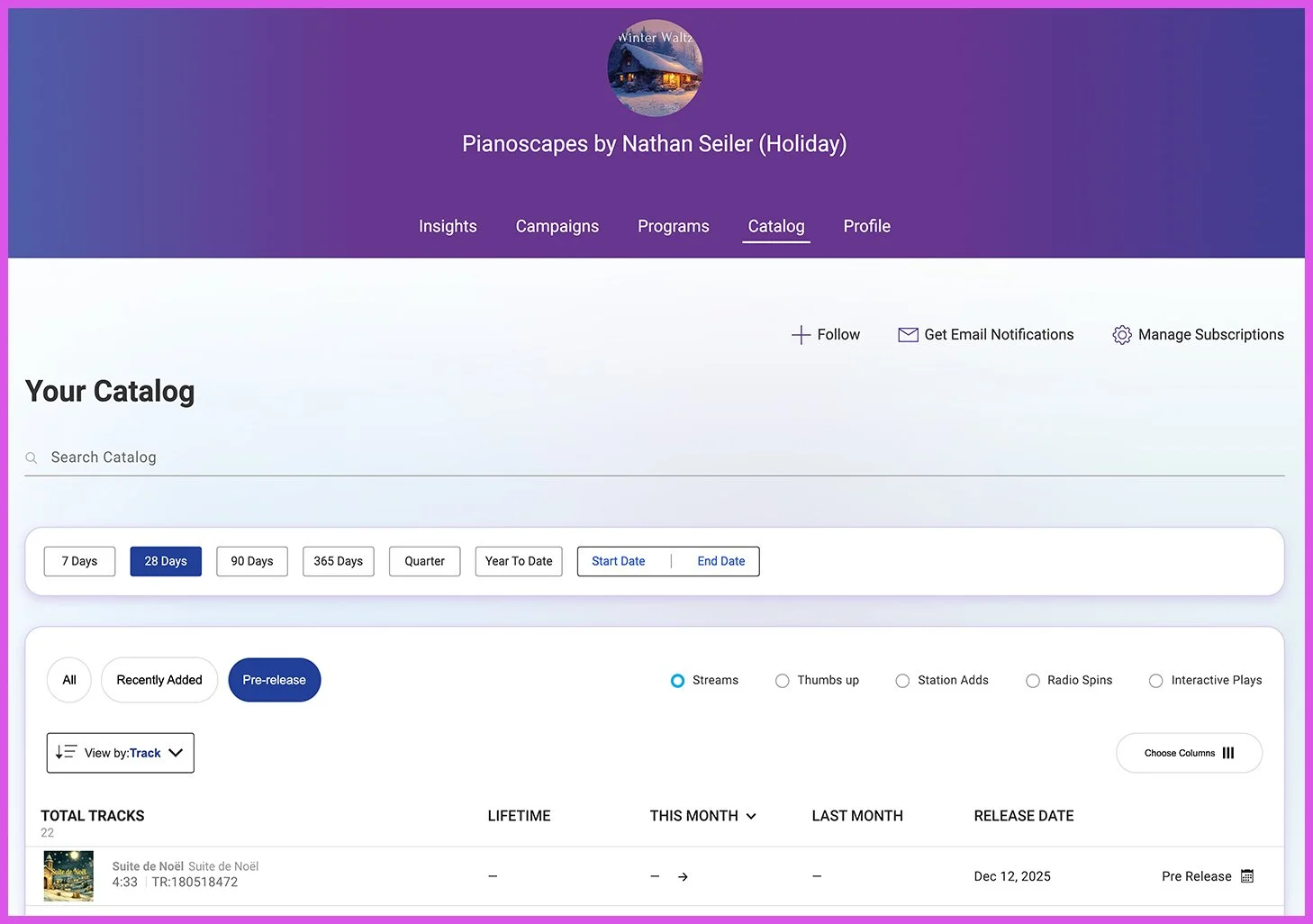
Pre-Release Content:
The ability to access pre-release content in AMP has been a long requested feature. Moving forward, creators will be able to view their pre-release content in the following states:
Pre-release content will now be listed with the rest of a creator’s tracks, and will be greyed out until release day.
Pre-release content will only be accessible if you have access to the content at the artist or label level.
Note: Share links to pre-release content will not be available at this time. We plan to provide this functionality in a future release.
Dynamic Track Grouping:
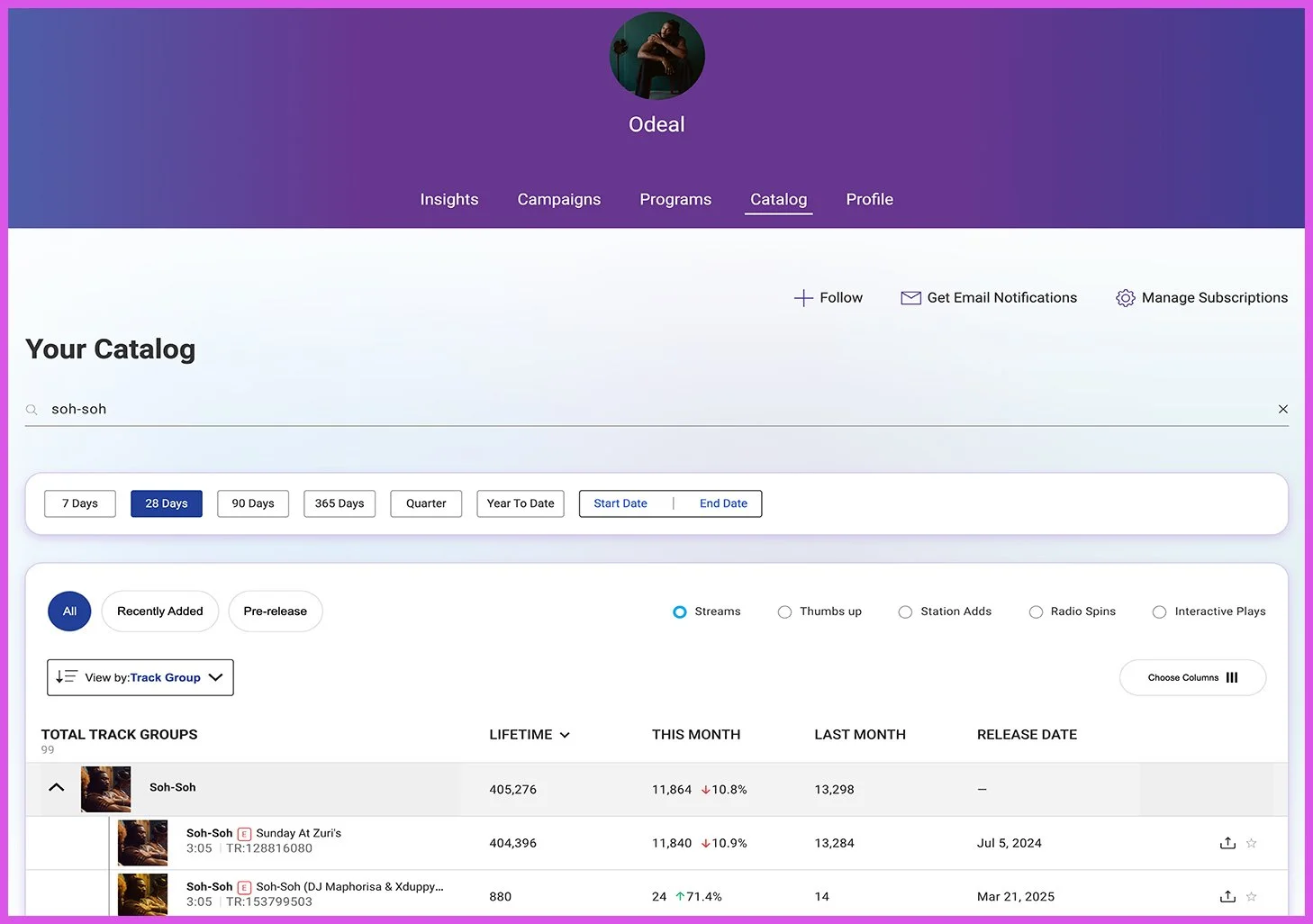
With new dynamic grouping capabilities, you can now view a creator’s tracks in several different categories:
Track: lists all instances of each track by a creator
Album: groups tracks into their albums and other releases. From there, you can open the album up to see the individual tracks from the release.
Track Group: collects all individual recordings of the same track into one group on your Catalog Tab. The group will showcase the cumulative streams for the individual versions of the track. Clicking the group will show the individual versions of the track.
Enhanced Filtering:
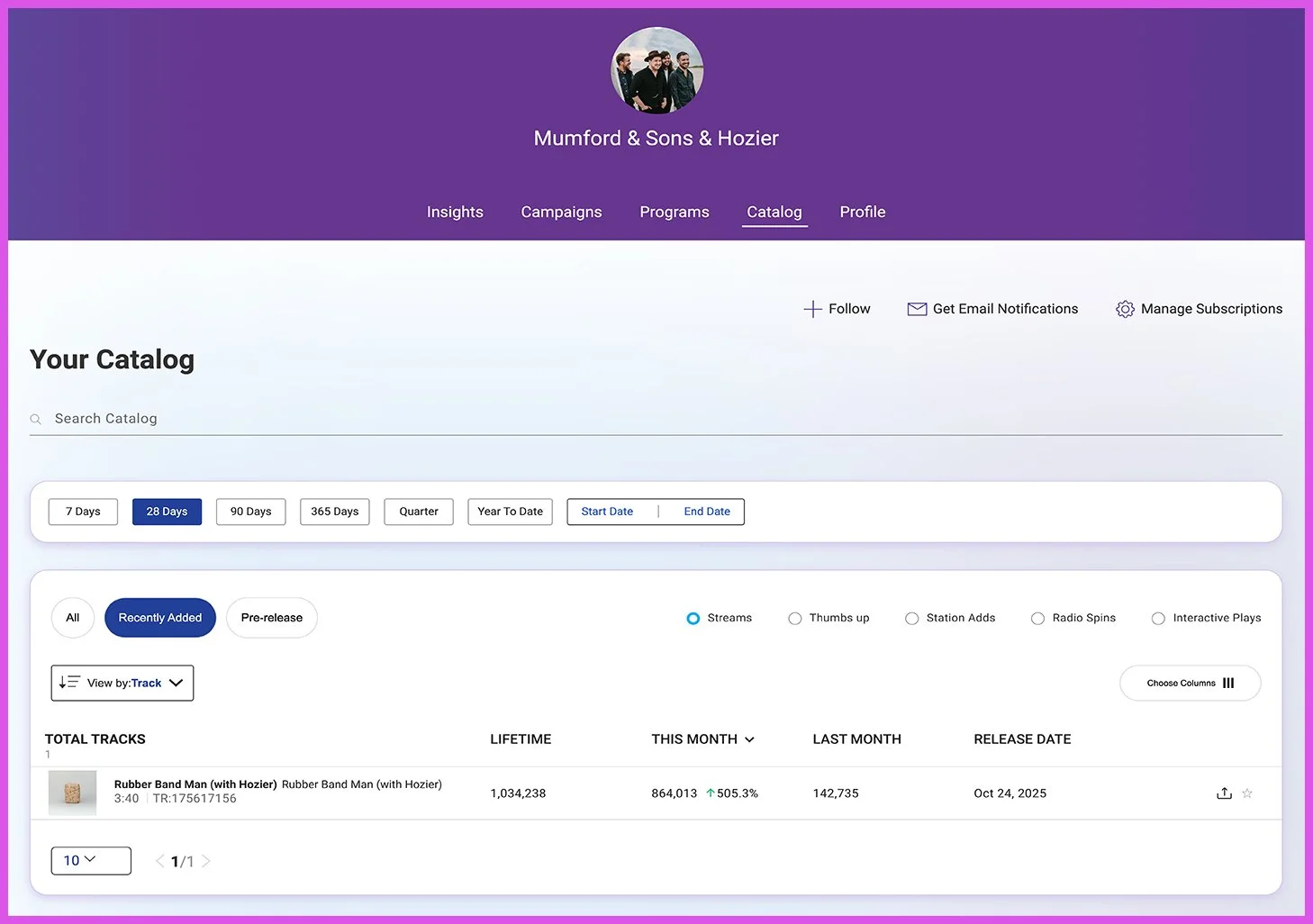
With enhanced filtering options, you’ll be able to set up your Catalog Tab to display the tracks that you are keeping a close eye on. These filters include:
All: shows all tracks
Recently Added: floats most recent content to the top
Pre-Release: floats Pre-Release content to the top
As always, you can choose date range options and now there is a new “year-to-date” button so you can easily filter results for the past year.
New and Improved Track Reporting:
The ability to view a robust set of analytics for each of your tracks is one of the most powerful AMP features for creators. We’re happy to launch an enhanced version of Track Reporting that includes advanced data viewing and track milestones:
Advanced data viewing:
gives the ability to see all versions of the track or just that specific version
allows you to choose between a line graph or bar graph
Track Milestones:
at the bottom of the page, you’ll be able to view any Track Milestones you have available for that track
If your track has reached the prestigious Million Streams Club, you’ll now have the option to receive a custom shareable asset for this achievement
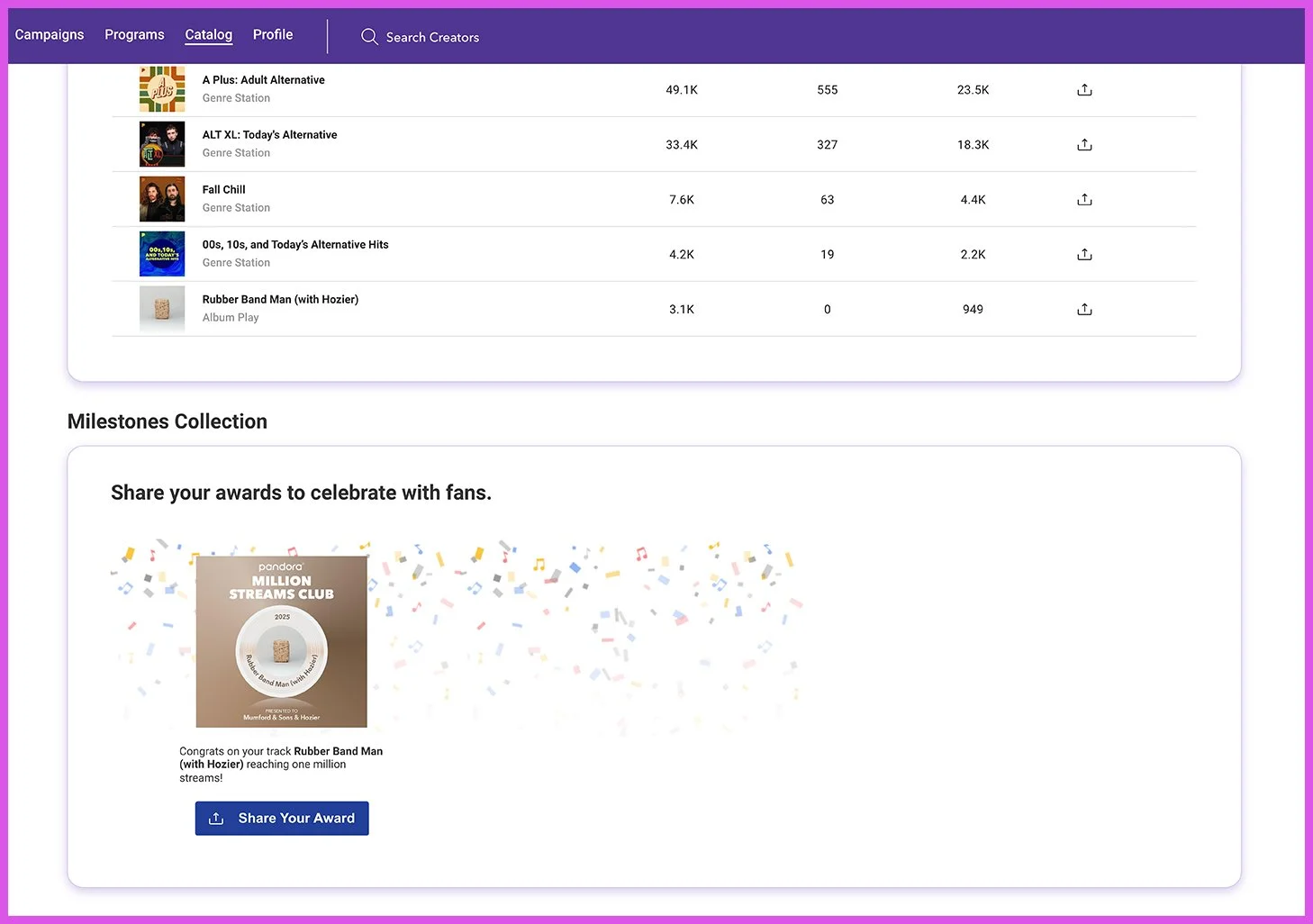
With the ability to access pre-release content, dynamic grouping, enhanced filtering, and improved Track Reporting, the Catalog Tab offers some great new options for keeping track of your performance on Pandora.
We hope you find the new and improved Catalog Tab useful!