

FEATURED TRACKS
USER GUIDE
Featured Tracks accelerates discovery and feedback from listeners for your new priority tracks and expedites the tracks’ path to their natural peak rotation on Pandora.
WHAT ARE FEATURED TRACKS?
Featured Tracks receive heightened spins for up to eight weeks, during which time listeners can give their feedback on the track by thumbing up or down. The result — the track is played to the right listeners on stations where it fits best for them.
WHAT ARE fan CAMPAIGNS?
When a Featured Track is created, it automatically launches a Fan Campaign. A single Fan Campaign can include multiple Featured Tracks and/or Artist Audio Messages to support new music or live events. Fan Campaigns including multiple elements uniquely engage fans with your content. They also provide insightful data to help shape effective marketing strategies.
FEATURED TRACKS GUIDELINES
To make sure you get all you can from the Featured Tracks experience, follow these eligibility guidelines and best practices.
WHAT MAKES A TRACK ELIGIBLE TO BE FEATURED?
It hasn’t been Featured before
The track is receiving at least 10 spins per week and positive thumbs feedback
WHEN SHOULD A TRACK BE FEATURED?
At the release of a new single
At the release of a new music video
Upon radio impact for a new single
Marketable events
Notable placement in a film, show, or commercial
Tour kickoff
Pro Tip: Use Featured Tracks in conjunction with Artist Audio Messages to give your fans context and inspire action — see the Promote Single One Sheet for more information.
USING THE SELF-SERVICE TOOL
You can submit a Featured Track using the self-serve submission form found within AMP.
TO CREATE A FEATURED TRACK:
Log into AMP and click the blue plus (+) create button in the top right corner of your screen
Click “Fan Campaign” in the drop down menu
Select “Create Featured Track”
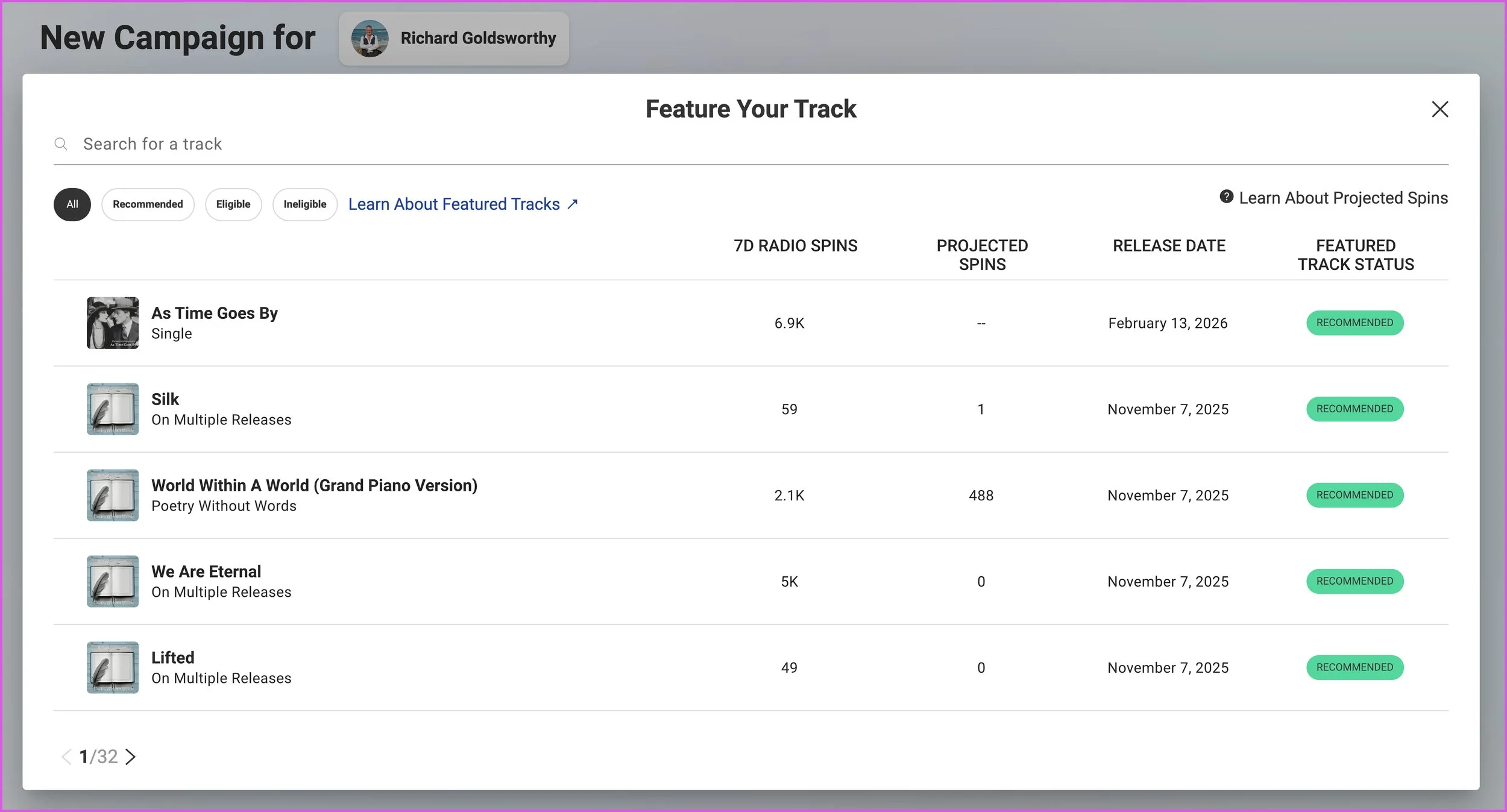
Choose track to feature:
Search by typing in the name of the track you’d like to feature
You can also click the “Recommended” filter to view the tracks that we think are good candidates to be featured
Select the track you would like to feature
Note: If the track you’re searching for does not appear, it is not eligible to be Featured.
See Featured Track Guidelines above.
Choose dates for your Featured Track:
The start date you choose can be no earlier than today
The end date will be eight weeks after the start date by default — but you can set an earlier end date, too
Select the “8 Weeks” option to set the Featured Track to run for the maximum amount of time
Click “Submit Campaign” for the Featured Track to begin. You can also click “Save Draft” if you’re not ready for it to be featured.
The Featured Track will remain active for the set amount of time unless one of the following happens:
You submit another track to be Featured; this will automatically stop Featuring the original track (once the new track completes processing)
Note: you cannot re-Feature the original track once it has already run its course as a Featured Track
The Featured Track has received significantly negative feedback from listeners, and both the Featured Thumb Ratio and the Total Thumb Ratio have dipped below 20% (see Campaign results within AMP)
favoriting campaigns
While viewing your Campaigns tab, you’ll have the option of “favoriting” the Featured Track Fan Campaign that matters most to you. To do this, click the star icon to the far right of the campaign in your Campaigns list. You can also click the star icon when viewing the campaign details. By favoriting campaigns, this will allow you to access your campaigns quickly and efficiently, directly from your AMP homepage.
REPORTING
Pandora is able to collect a number of performance metrics for Featured Tracks. Performance metrics for all Fan Campaigns can be viewed under the Campaigns tab. Sort Campaigns by status (All, Live, Scheduled, Draft, Completed) using the menu in the middle of the page. Fan Campaigns will be listed in the center panel, sorted by when they were last updated. Clicking on any Fan Campaign will open detailed performance metrics, broken out by campaign element.
You’ll be able to see the following statistics for your Featured Track:
Start Date
End Date
Unique Listeners who have heard your Featured Track
Featured Spins (spins generated from a song being Featured that would not have occurred naturally)
Total Spins (total number of times your Featured Track spun during the Feature period)
Thumbs Up (total Thumbs Up ratings given during the Feature period)
Option to download a CSV file
QUESTIONS? Visit our Support page.